🖼️ Tested on 10,000+ Real Websites

Website Images That Reduce Bounce
and Boost Conversions

Your hero image is the first thing visitors see — it determines whether they stay or leave. Creatives Gen generates professional, conversion-optimized website visuals that make powerful first impressions. Users report up to 34% improvement in time-on-page after switching.

Generate Website Images Free →

15 free images · No credit card required · Used by thousands of web designers & founders

Hero Section Features About Page Testimonials Pricing Blog Header Contact Footer Custom Section

From Section Brief to
Web-Ready Images in 4 Steps

Tell the AI about your website section, choose your formats, and get professional images ready for your web designer or CMS.

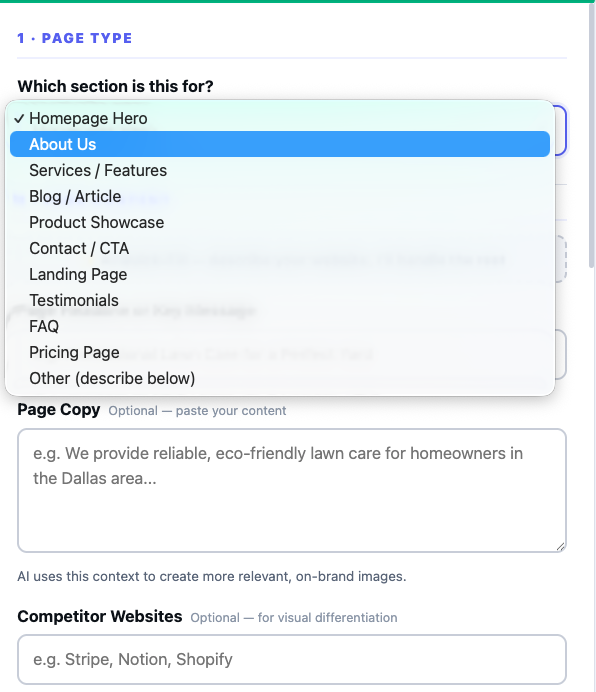
Step 1 — Choose Your Section Type: select homepage, blog, product, or custom page section
1

Choose Your Section Type

Select which part of your website you're creating images for — hero, features, about, testimonials, blog, pricing, or describe a custom section type.

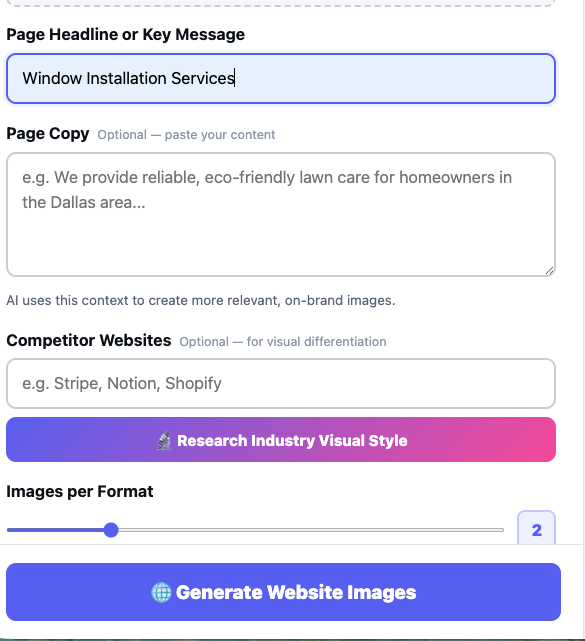
Step 2 — Describe Your Content: enter your headline and copy for AI-matched visuals
2

Describe Your Content

Enter your headline and the copy that will appear in this section. The AI uses this context to create visuals that semantically match your content and message.

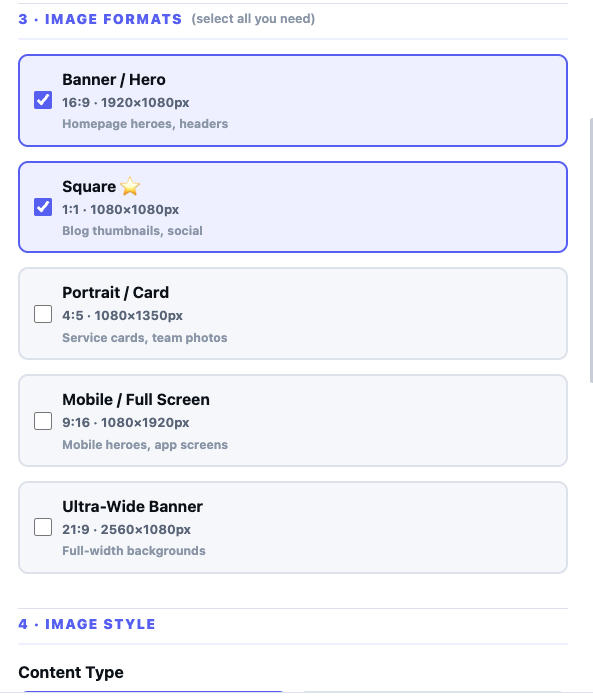
Step 3 — Select Formats & Quantity: choose banner, square, portrait, mobile, or ultra-wide formats
3

Select Formats & Quantity

Choose which image formats you need — wide banners, square thumbnails, vertical images, or all of them. Set how many variations per format to generate.

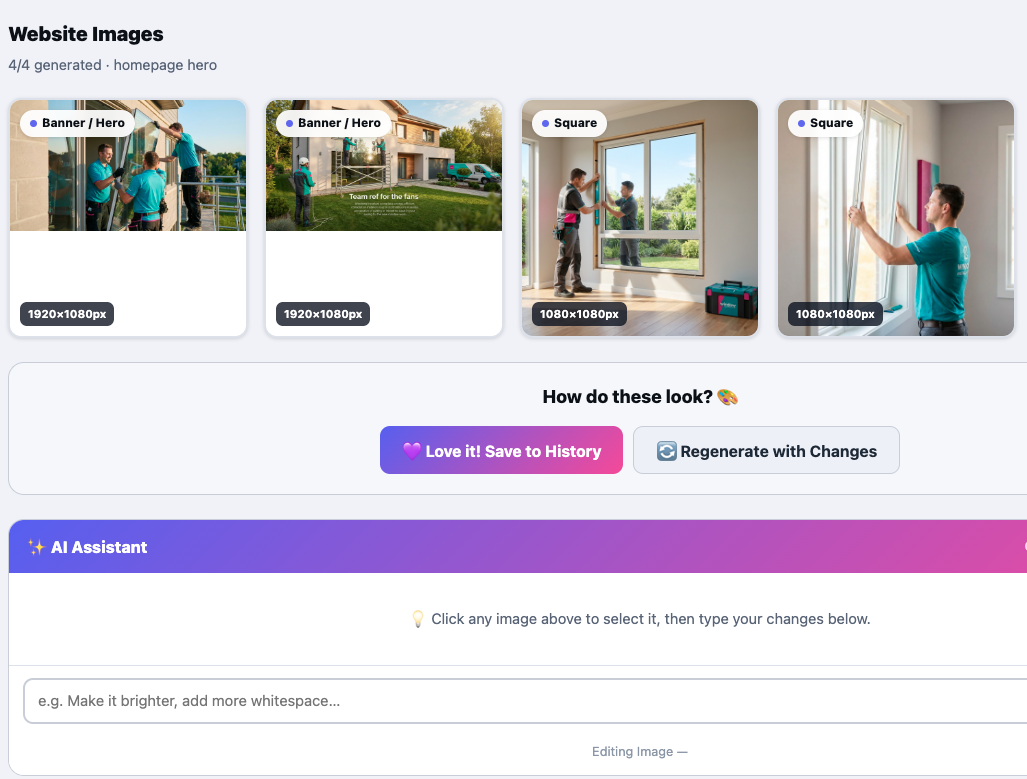
Step 4 — Download & Use: view generated website images and download individually or as ZIP
4

Download & Use

Images are generated at the correct resolution for web use. Download individually or as a ZIP and drop them directly into your website builder or CMS.

Every Section, Optimized
to Convert

Creatives Gen understands the conversion role of each website section — hero images stop the scroll, feature images build trust, testimonial visuals build credibility. Every image is built with purpose.

🚀

Hero Section

Bold, high-impact hero banners and background images that make a powerful first impression. Designed to communicate your value proposition visually.

⚙️

Features & Benefits

Clean, illustrative images for each feature — icon-style visuals, product mockups, or conceptual imagery that makes abstract benefits tangible.

👥

About Page

Human-centered imagery for team sections, mission statements, and company story pages. Warm, authentic visuals that build trust.

💬

Testimonials

Background imagery for customer quotes and social proof sections. Subtle, polished visuals that frame testimonials without distraction.

📝

Blog & Content

Featured article images, category headers, and inline content visuals for your blog, knowledge base, or resource center.

Custom Section

Not seeing your section type? Select "Other" and describe it in your own words — the AI will create appropriate imagery for any web context.

All Formats for Modern
Web Design

Generate multiple aspect ratios simultaneously — your designer and CMS will always have the right format on hand.

Wide
Landscape
16:9
Hero banners, headers
Banner
Wide Banner
3:1
Top-of-page banners
4:3
Standard
4:3
Feature images, cards
1:1
Square
1:1
Thumbnails, grid items
Port
Portrait
2:3
Team cards, blog sidebar

Built to Make Your Website
Perform, Not Just Look Good

Features designed for designers, developers, and founders who know that beautiful visuals are only valuable when they convert visitors into customers.

🎨

Brand-Matched Visuals

Your brand colors and style guide are applied to every image. Generated visuals fit seamlessly into your existing design system.

📐

Multi-Format at Once

Select multiple aspect ratios and generate all variations simultaneously. Landscape hero, square thumbnail, and portrait sidebar — one generation.

🔢

Quantity Control

Set how many image variations you need per format. Get 3 options to choose from, or generate a single definitive version — your call.

✏️

Chat-Based Editing

Click any generated image and describe your changes via the AI chat. "Make it more minimal", "remove all text", "use a white background" — applied instantly.

📎

Upload References

Upload your existing design mockups or competitor sites as visual reference. The AI generates images that match the aesthetic direction you're going for.

⬇️

Web-Optimized Output

Images are generated at web-appropriate resolutions. Download as PNG files ready to drop into Webflow, Framer, WordPress, or any web builder.

What Better Website Visuals
Actually Do to Your Numbers

First impressions are made in milliseconds. The right hero image can be the difference between a bounce and a conversion. Here's what our users actually experienced.

34%
Average increase in time-on-page after switching visuals
28%
Average reduction in bounce rate on hero sections
2.1x
More conversions on landing pages with professional visuals
10 min
Average time to generate a full website image set
📷 Add before/after website image here
📈 Conversion rate: 1.8% → 4.2%

"Our landing page had a stock photo hero that looked like every other SaaS site. We regenerated the hero with Creatives Gen to match our brand and messaging. Conversion rate went from 1.8% to 4.2% — no other changes. The right image really is worth more than a thousand words."

📷 Add before/after website image here
📈 Bounce rate down 31% in 2 weeks

"I redesigned my agency's website using images from Creatives Gen throughout — hero, features, about, testimonials. My bounce rate dropped 31% in the first two weeks and I started getting more inbound inquiries. Clients actually comment on how 'polished' the site looks. It takes 10 minutes to get a full image set."

📷 Add before/after website image here
📈 Client site time-on-page +44%

"I use Creatives Gen for every client website I build. I generate all section images in one session, customized to each brand. The impact on site metrics is real — one client's time-on-page went up 44% after we refreshed their visuals. It's become a core part of my web design process."

Frequently Asked Questions

Common questions about generating website images with Creatives Gen.

Creatives Gen supports all common website sections: hero, features, about, testimonials, pricing, blog headers, contact, and footer areas. You can also choose "Other" and describe any custom section type — the AI will create appropriate imagery for any web context you describe.
By default, Creatives Gen generates clean images without text overlaid — so you can add your own typography on top in your website builder. You can specify in the content field whether you want text visible in the image or a clean visual-only design.
Yes. Select multiple format checkboxes (16:9, 4:3, 1:1, portrait, etc.) and set a quantity per format. Creatives Gen generates all selected format combinations simultaneously — giving you a complete image set for your section in one generation.
Generated images are high-resolution PNG files suitable for retina/HiDPI displays. For hero banners and full-width sections we recommend using them at 1:1 scale or verifying they meet your specific page's maximum display width before publishing.
Yes. You own the images you generate with Creatives Gen and can use them for commercial purposes, including client projects. Review our Terms of Service for the full details on content ownership and usage rights.
Enter your brand colors in the brand settings panel and describe your existing visual style in the "Visual Style" field (e.g. "clean minimal, lots of white space, soft gradients"). You can also upload a screenshot of your existing site as a reference image to guide the AI's visual direction.

Your Website Deserves Visuals That Convert

Stop losing visitors to a weak first impression. Generate professional, conversion-optimized website images in minutes — starting free, no card needed.

Generate Your First Images Free →

15 free images · No credit card required · Results often visible within days